
GIZ SCM / SUPPLY CHAIN PLANNING
A shipment is late. Which customer orders can you protect?
Reconcile demand, stock, incoming supply and production constraints, then compare replenishment decisions against delivery and cost.
Giz SCM supply-planning overview
Enlarge view ↗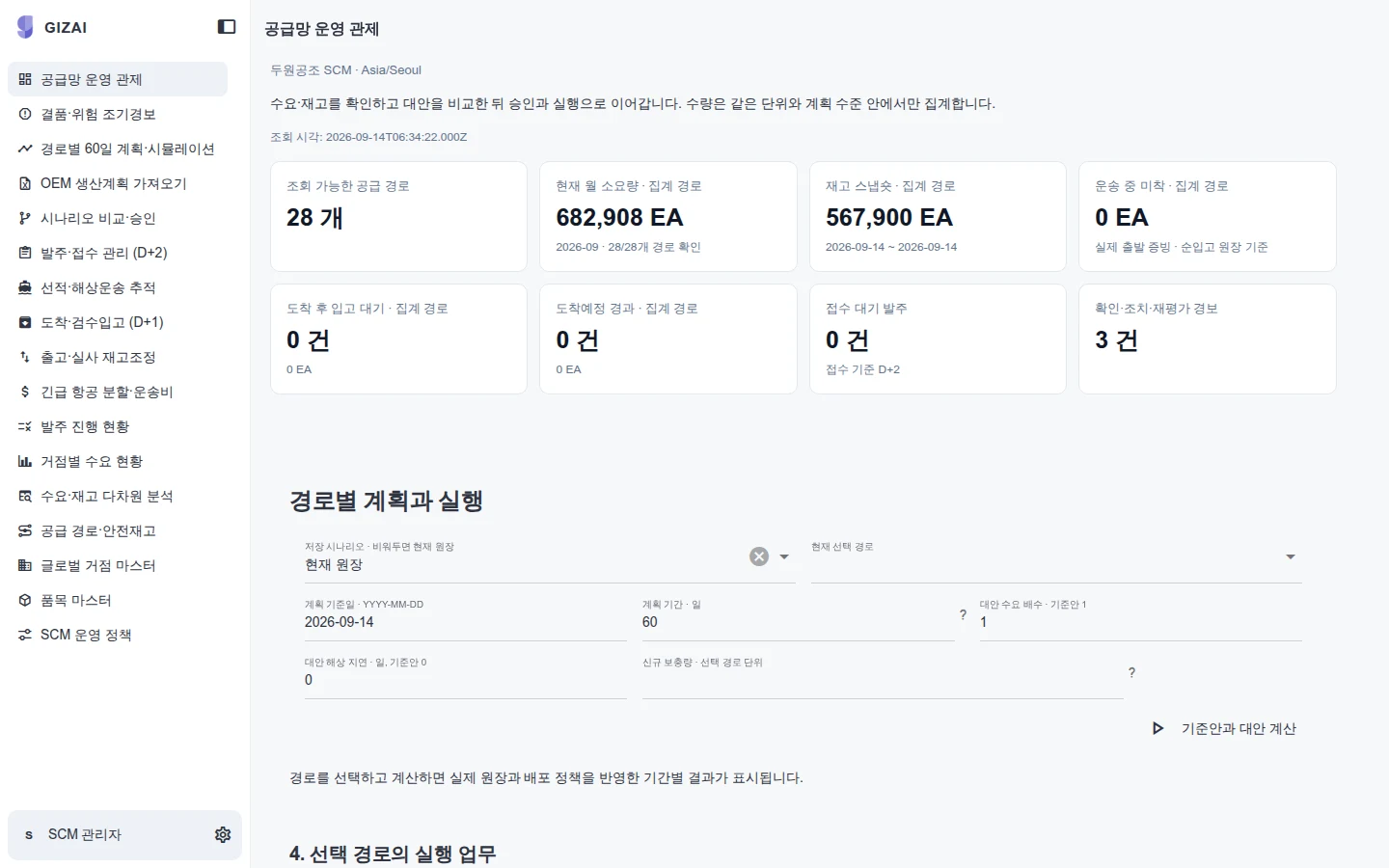
Giz SCM supply-planning overview
Summary planning metrics and underlying work items shown in the supply-planning workspace. 2026-09-14 · Sample data.
Explore this capability →PRODUCT IN USE
Inspect the product in use.
Check the capture date and sample-data label, then select an image to inspect it. Operating performance, security requirements and customer outcomes are separate acceptance checks.
Giz SCM supply-planning overview
Enlarge view ↗Giz SCM supply-planning overview
Summary planning metrics and underlying work items shown in the supply-planning workspace. 2026-09-14 · Sample data.
Explore this capability →Giz manufacturing planning: demand and inventory
Enlarge view ↗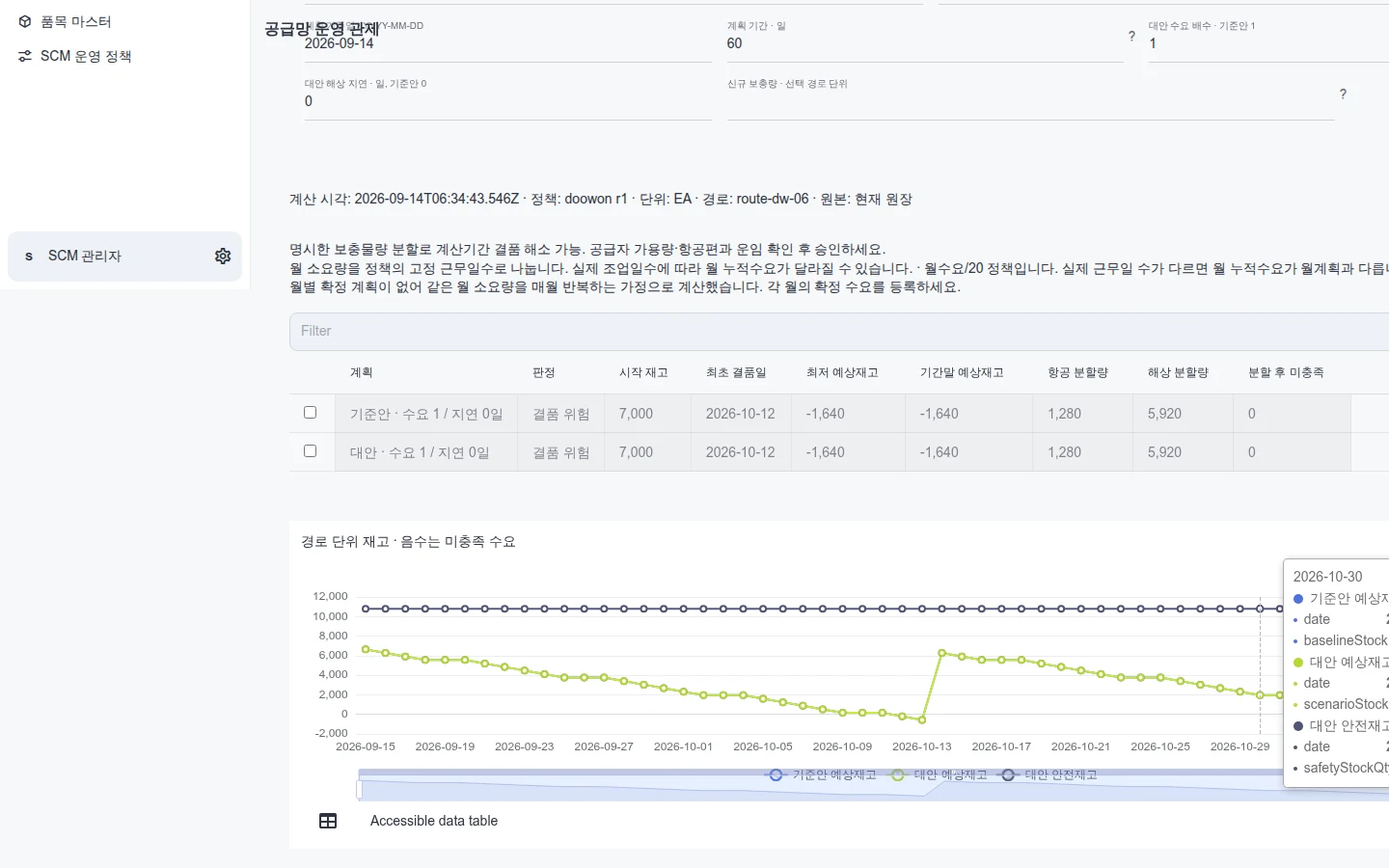
Giz manufacturing planning: demand and inventory
A planning view of demand, incoming supply and projected inventory over time. It does not demonstrate the full WIP or equipment-effectiveness workflow. 2026-09-14 · Sample data.
Explore this capability →Giz Apps planning grid and chart
Enlarge view ↗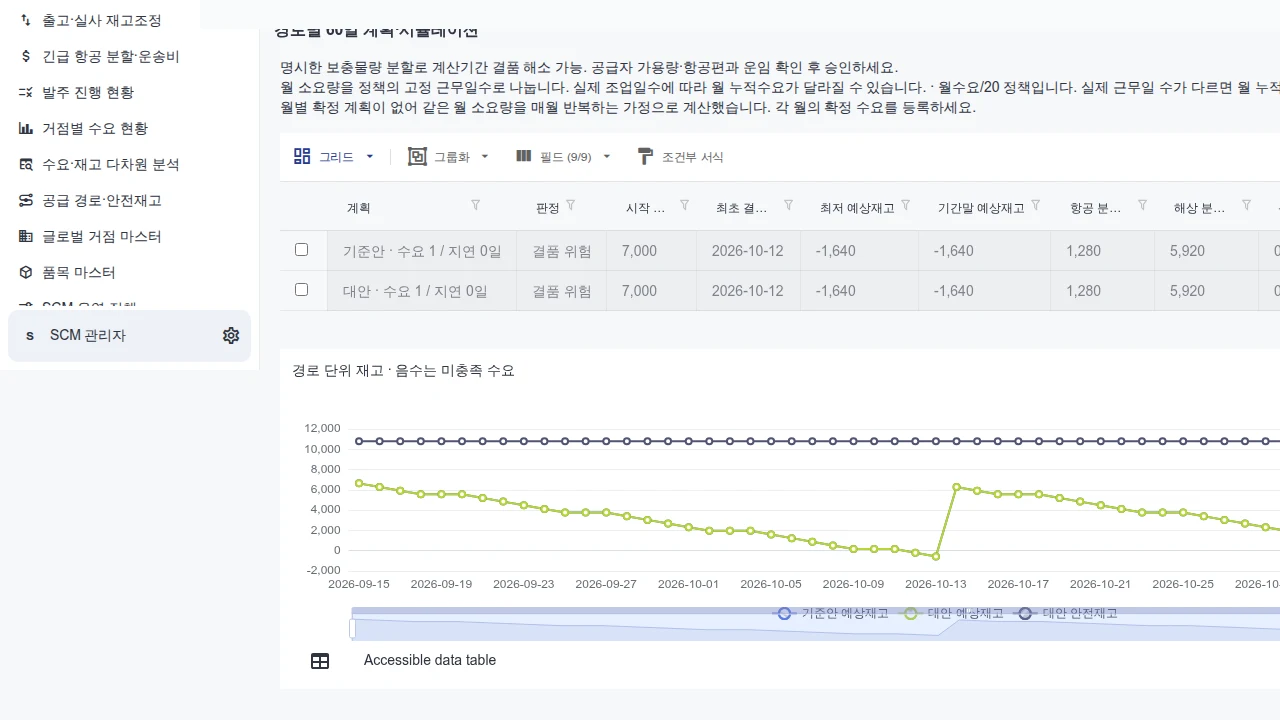
Giz Apps planning grid and chart
A business app showing a period-based planning grid and projected-inventory chart. Visible rows do not establish a performance benchmark. 2026-09-14 · Product screen.
Explore this capability →Giz Apps supply-exception list
Enlarge view ↗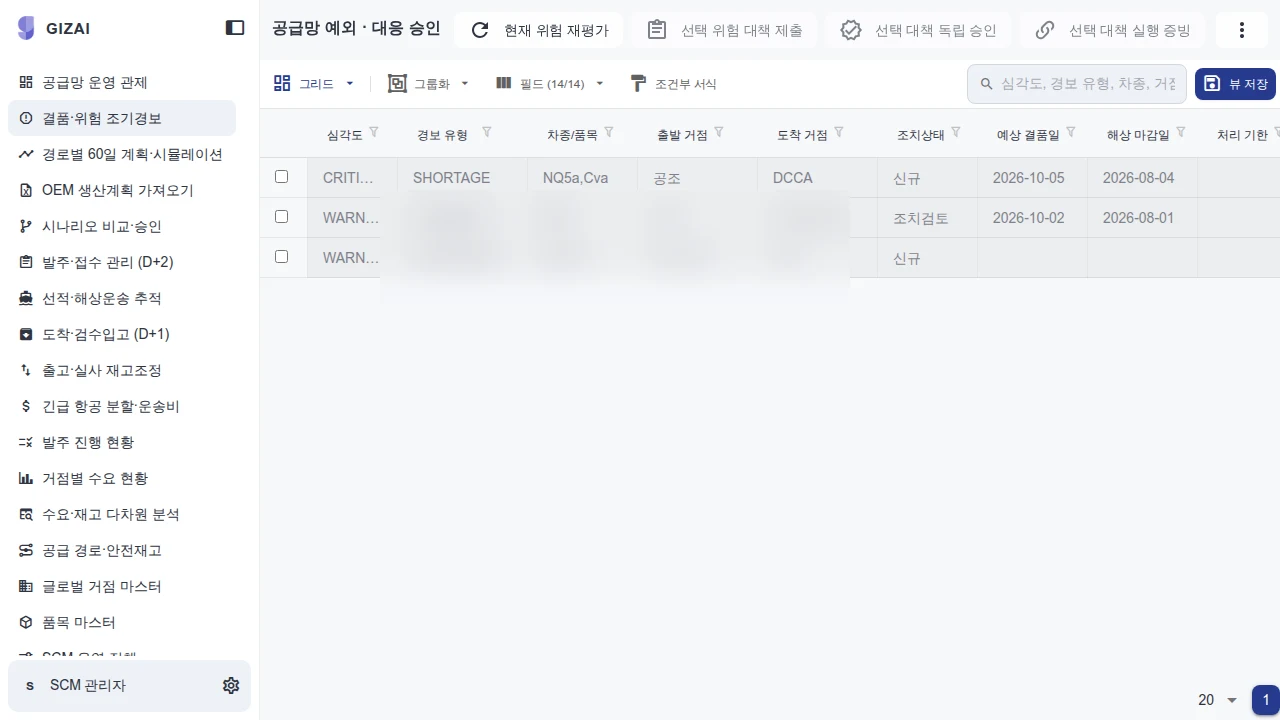
Giz Apps supply-exception list
A list of supply exceptions and their processing states. Approval and source-system updates require separate execution checks. 2026-09-14 · Product screen.
Explore this capability →Give every planner the same starting point
A supplier changes a delivery date. Procurement checks open orders, production revises its sequence, and sales reviews customer commitments. Each spreadsheet can be internally correct while describing a different moment in the supply chain. Giz SCM connects items, locations, demand and supply around a shared planning reference so teams can evaluate the same decision.
Start with a product family that repeatedly requires expediting or rescheduling. Historical plans and actual outcomes provide a practical basis for understanding where assumptions diverged. The first implementation should reproduce that decision before expanding across the network.
Illustrative decision: a critical material arrives one week late
An automotive component manufacturer expects a receipt needed for confirmed orders. The supplier changes the arrival date. The planner identifies which orders existing stock can cover and when the shortage begins.
The team compares expedited freight, inventory transfer from another location, and a revised production sequence. Each alternative carries its own arrival assumptions, transport cost and production constraints. The lowest transport cost may be unacceptable if it misses a committed customer date. The planner records the selected option and remaining exposure, then submits the approved change to the execution workflow.
This is an implementation scenario. It describes the decision to build and evaluate, rather than an achieved customer result.
The working dataset and the decision record
| Bring to the evaluation | Produce for planner review |
|---|---|
| Item and location identifiers, units and reference time | A baseline using consistent definitions |
| Confirmed orders, forecasts and available inventory | Projected stock and shortage timing by demand type |
| Open purchase orders, supplier dates and freight conditions | Alternatives with explicit receipt assumptions |
| Capacity, changeover constraints and approval roles | Constraint exceptions and candidate changes |
Define whether inspection stock is available and whether a supplier date means dispatch or arrival. Make uncertain inputs visible so the planner can assess their effect. The delivered workflow should retain the selected plan version, evidence, approval and destination outcome alongside the calculation.
From planning example to connected operation
The published screens show supply planning and demand-and-inventory views using sample data. The public planning experience is a single-item calculation example. Customer implementations select and validate the required scope: multilevel BOMs, finite capacity, substitutes, probabilistic demand or multi-location optimization. Each requires appropriate data and calculation-engine integration.
ERP or MES write-back is a separate interface commitment. Agree which changes are permitted, who approves them and how the destination confirms acceptance. An approved planning screen should lead to a verifiable execution outcome.
Accept the first workflow against real history
Reproduce a representative historical period and reconcile source stock, demand and receipts with calculated results. The planner must explain a shortage, identify an infeasible alternative and verify what happened to an approved plan. Measure inventory or expediting improvements only after agreeing the comparison period and customer service requirements.
Bring one recurring supply exception, its source records and the responsible planner. The evaluation turns those materials into a calculation scope, an integration boundary and acceptance criteria.
Analyze planning evidence · Manufacturing implementation context
YOUR NEXT STEP
Bring us the workflow that needs to work.
Start with the files and systems you use today, and the work you want to change.