
GIZ COMPUTER
Real Linux desktops, terminals, and tools shared seamlessly between humans and AI.
An isolated cloud workspace powered by noVNC GUI X11 desktop, OpenClaw resident daemon, xterm terminal, and POSIX zero-copy storage.
Giz Computer browser terminal
Enlarge view ↗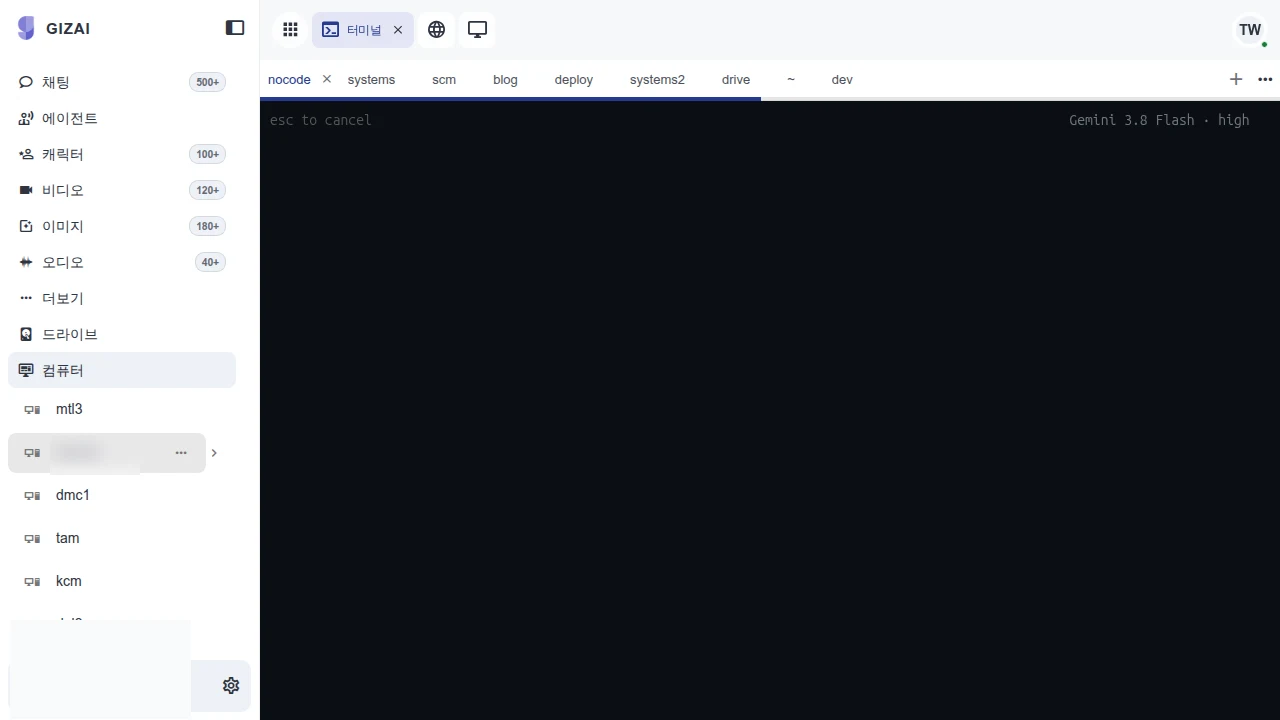
Giz Computer browser terminal
The terminal tab and work area in Computer. Isolation, permissions and recovery are verified through separate execution checks. 2026-09-14 · Product screen.
Explore this capability →PRODUCT IN USE
Inspect the product in use.
Check the capture date and sample-data label, then select an image to inspect it. Operating performance, security requirements and customer outcomes are separate acceptance checks.
Giz Computer browser terminal
Enlarge view ↗Giz Computer browser terminal
The terminal tab and work area in Computer. Isolation, permissions and recovery are verified through separate execution checks. 2026-09-14 · Product screen.
Explore this capability →Beyond simple code execution sandboxes: A full-fledged GUI Linux desktop
Traditional cloud sandboxes are strictly limited to Python script execution or headless text shells, precluding interactive GUI browser automation, desktop office suite rendering, audio playback, or complex IDEs. Furthermore, isolated environments force clunky file synchronizations between human developers and autonomous AI agents.
Giz Computer unites browser-based noVNC X11 GUI desktops, ultra-fast xterm interactive terminals, the OpenClaw resident orchestration daemon, and POSIX zero-copy storage, enabling humans and AI agents to share identical screen views and file workspaces in real time.
4 Core Engineering Specifications of Giz Computer
| Engineering Domain | Giz Computer Implementation | Operational & Business Value |
|---|---|---|
| noVNC X11 Interactive GUI | WebSockets-based noVNC rendering with PulseAudio audio streaming and key locks | Remotely control Chrome browsers, desktop office suites, and graphical tools directly in the browser |
| OpenClaw Resident Daemon | Container-internal IPC UNIX domain sockets with process lifecycle supervision | Sub-millisecond communication between AI agents and local processes with background persistence |
| POSIX Zero-Copy Storage | Direct container filesystem mounting (~) mapped to Giz Drive |
Terminal shells, Git repositories, compilers, and AI agents share massive files with zero network overhead |
| Isolated argv Sandbox | Whitelisted command execution filter with cgroups memory and CPU quotas | Blocks arbitrary malicious shell executions while protecting underlying host infrastructure |
Real-Time Human-AI Pair Programming & Workflow
- Instant Container Spawning: Isolated Linux containers initialize within 3 seconds inside standard web browsers.
- Synchronous Workspace Sharing: While human engineers edit code via Monaco or terminals, AI agents run automated tests and inspect visual UI rendering results concurrently.
- Immutable Snapshots: Workspaces persist to immutable snapshots, allowing instant resumption from any workstation globally.
YOUR NEXT STEP
Bring us the workflow that needs to work.
Start with the files and systems you use today, and the work you want to change.