
THE GIZ PLATFORM
Built for the way your business changes.
Connect business applications, documents, analytics and AI through shared models. Explore integration, deployment and operational handover.
Giz Apps visual designer
Enlarge view ↗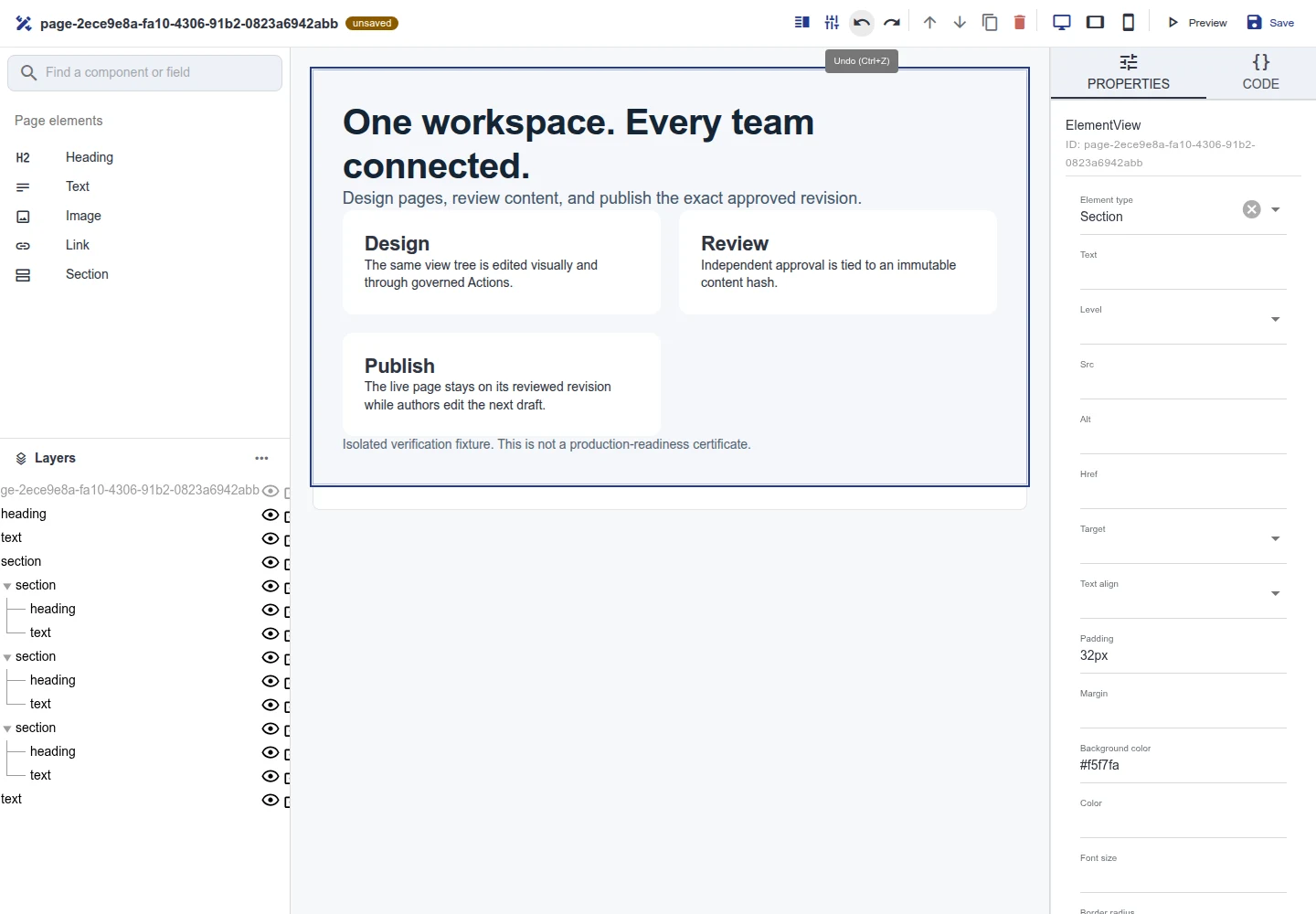
Giz Apps visual designer
The component list, editing canvas and property panel shown together. 2026-09-12 · Sample data.
Explore this capability →Shared meaning across data, applications and AI
Compose the capabilities a workflow needs, then extend the model to the next team.
01
Giz Ontology
Give distributed records a shared business model.
Explore02
Giz Apps Engine
Turn models into interfaces and server behavior.
Explore03
Giz Agents
Connect goals with tools and execution authority.
Explore04
Giz Computer
A workspace for files, terminal and browser tasks.
Explore05
Private AI
Plan deployment around data and operating requirements.
ExplorePRODUCT IN USE
Inspect the product in use.
Check the capture date and sample-data label, then select an image to inspect it. Operating performance, security requirements and customer outcomes are separate acceptance checks.
Giz Apps visual designer
Enlarge view ↗Giz Apps visual designer
The component list, editing canvas and property panel shown together. 2026-09-12 · Sample data.
Explore this capability →Giz CMS published page
Enlarge view ↗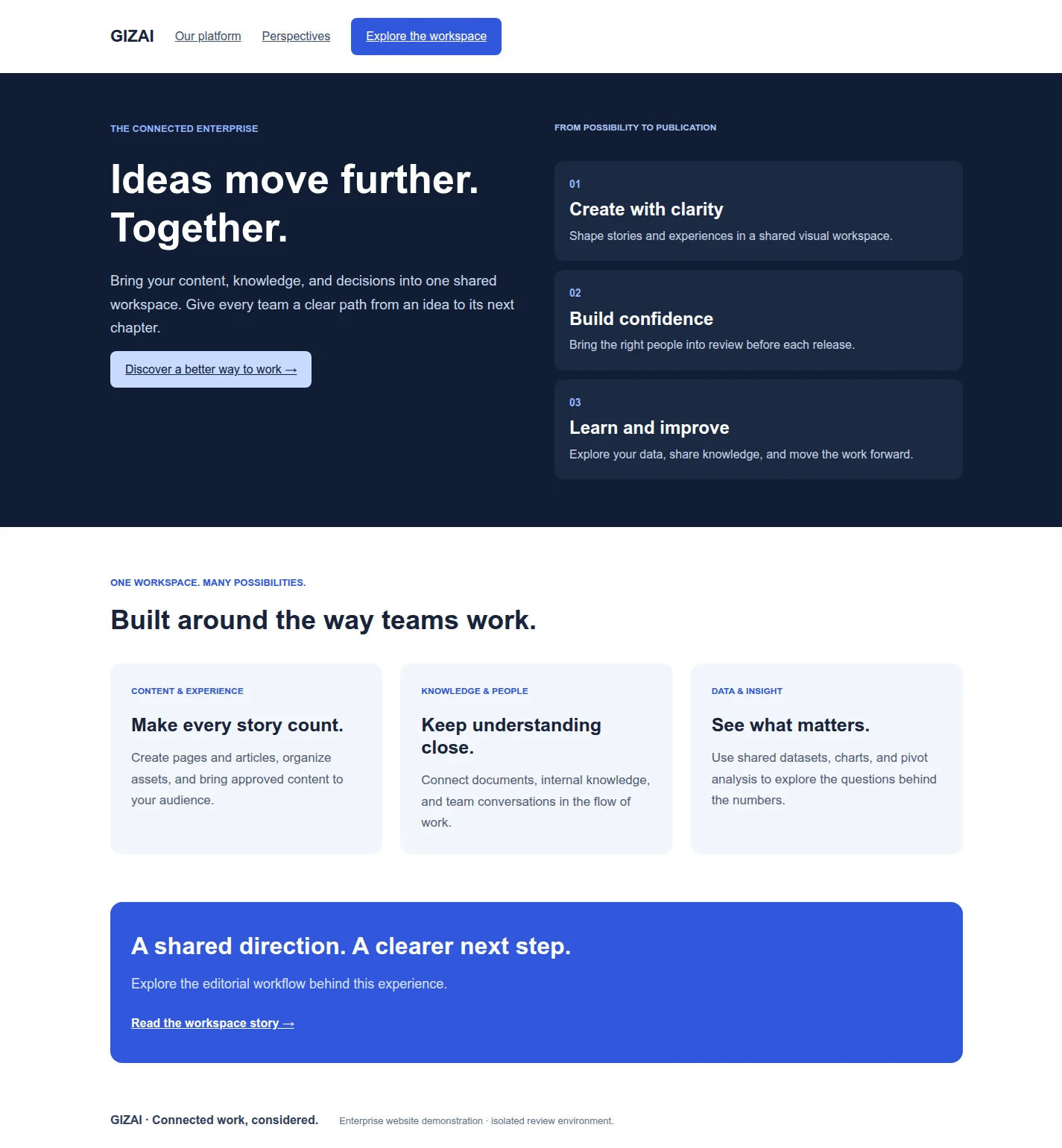
Giz CMS published page
A published example page with a headline, body and cards. Authoring and approval history are inspected separately in the workspace. 2026-09-12 · Sample data.
Explore this capability →Giz Analytics analysis setup
Enlarge view ↗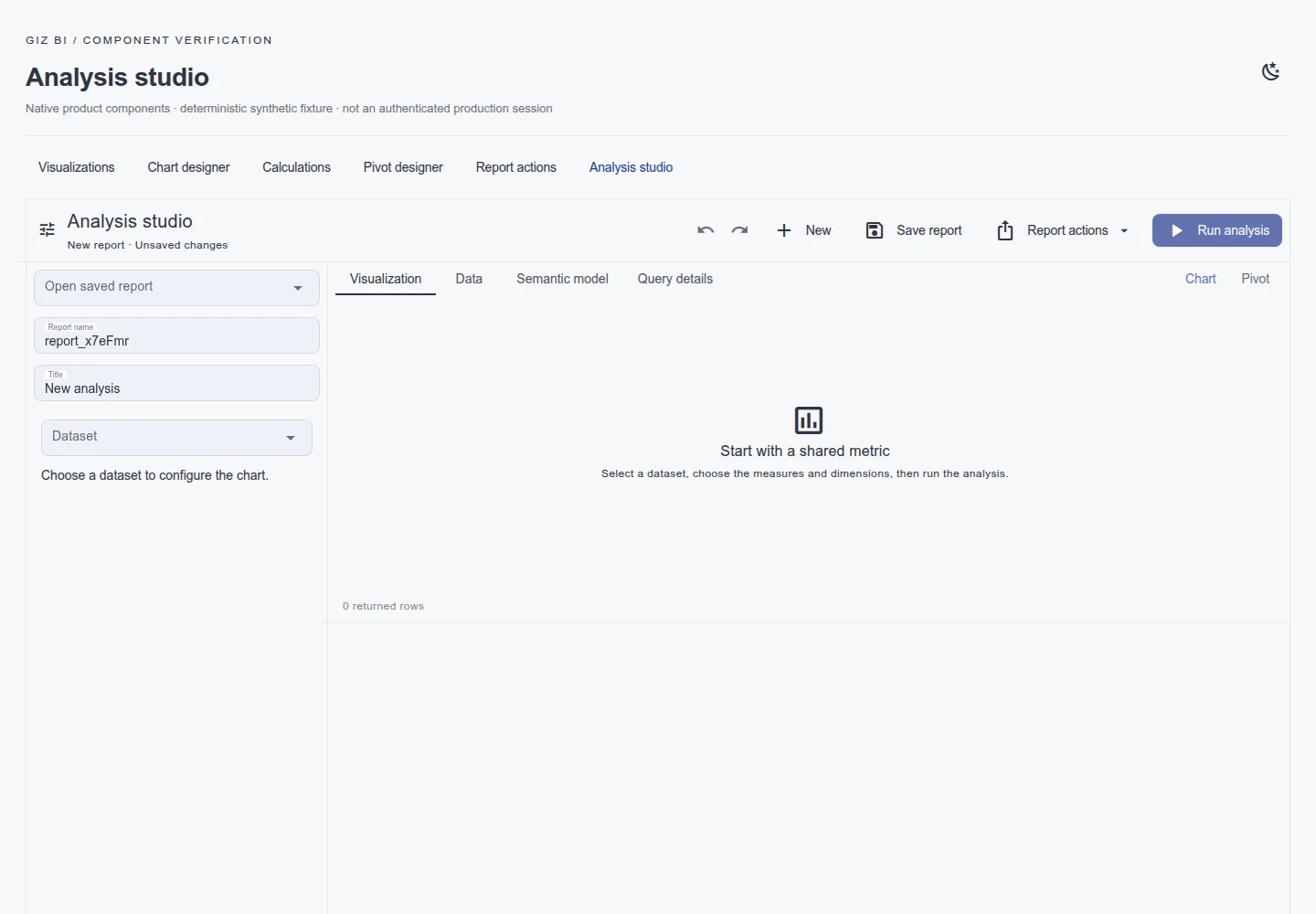
Giz Analytics analysis setup
The data, filter and metric controls in Analysis Studio. This capture shows configuration with an empty result. 2026-09-13 · Sample data.
Explore this capability →Giz Agent consultation example
Enlarge view ↗
Giz Agent consultation example
An example of entering a business goal and reviewing a consultation response on the website. 2026-09-13 · Sample data.
Explore this capability →Giz operating settings and status
Enlarge view ↗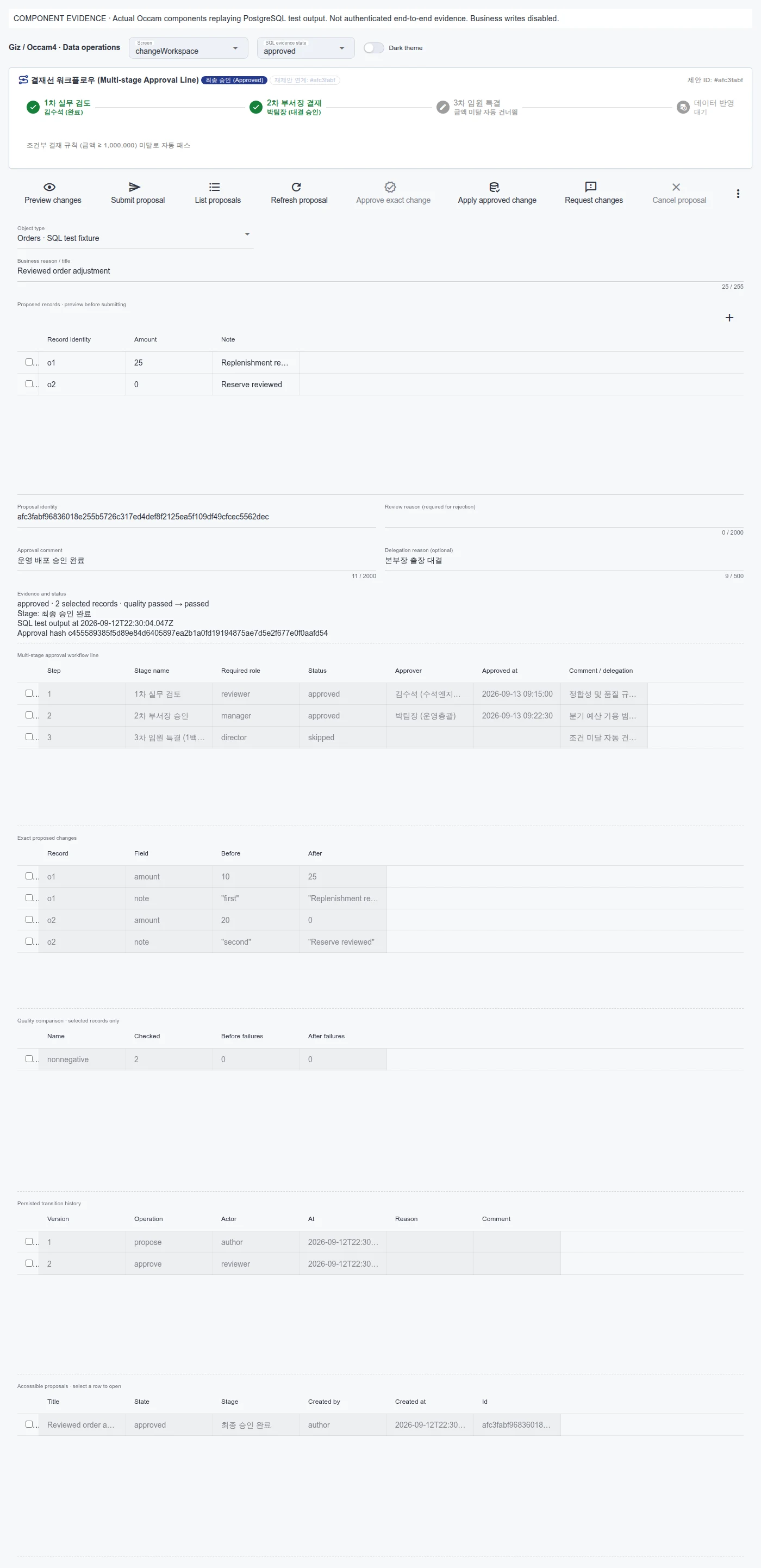
Giz operating settings and status
An administration view of operating settings and status. It is not evidence of air-gapped operation or security certification. 2026-09-13 · Sample data.
Explore this capability →One model, connected execution
Business meaning
Define customers, parts, orders, relationships, sources and states so teams can work from the same definitions.
Objects
Relationships
Sources
Everyday work
Connect forms, grids, charts and documents. Move from an exception to its context and next action.
Applications
Documents
Analytics
Authorized action
Configure interfaces and agents to use shared server actions, with business rules and approval conditions in the execution path.
Actions
Approval
Agents
Operations and change
Agree deployment, integration and incident ownership. Validate changes and hand over the operating procedures.
Deployment
Observation
Handover
Connect the work between your systems
Orders live in ERP. Drawings live on a file server. Delivery changes arrive by email. People gather the information, check which version is current, make a decision and enter the result elsewhere. Giz Platform connects the applications, documents, analytics and AI needed to complete that work.
Start with the workflow: which records are authoritative, who makes the decision and what constitutes completion. Then configure the interface and actions alongside the systems you already operate.
Follow a decision through to its outcome
Consider a buyer reviewing a late delivery. The task needs more than a stock chart. It needs the affected orders, the supplier's response, feasible planning options and an accountable approver.
| The operator's question | What the workflow connects |
|---|---|
| Which orders are affected? | Part, site and order relationships with source timestamps |
| How do the alternatives compare? | Planning and analysis using the same input baseline |
| Why was this option selected? | Supporting documents, review and approval |
| Was the change applied? | Authorized actions and the source system's result |
This is an implementation example. The scope of ERP updates is established against the available interfaces and approval policy.
Reuse the rules. Adapt the workflow.
Extending an application to another department should build on the meaning and controls already established. Giz uses shared contracts for data, views and actions, with department-specific fields and processes configured around them.
Publishing a product page, reviewing a quality issue and resolving a purchasing exception remain distinct workflows. They can share the foundations for files, versions, ownership, queries and actions. Giz Apps Engine provides the runtime for that composition.
Plan for the team that will operate it
Review data connections, identity, deployment location and change authority together. Include the models, configuration, documentation, training, support coverage and recovery procedures in the engagement. Choose cloud or customer infrastructure against the required capabilities, data boundary and operating capacity.
YOUR NEXT STEP
Bring us the workflow that needs to work.
Start with the files and systems you use today, and the work you want to change.