
PROBLEM / SHORTAGE & EXPEDITING
Act when the shortage date appears, not after the line stops.
Connect the demand spreadsheet, purchase orders, shipments, receipts and inventory in one flow, and project 60 days of stock to show stockout dates and sea-order cutoffs.
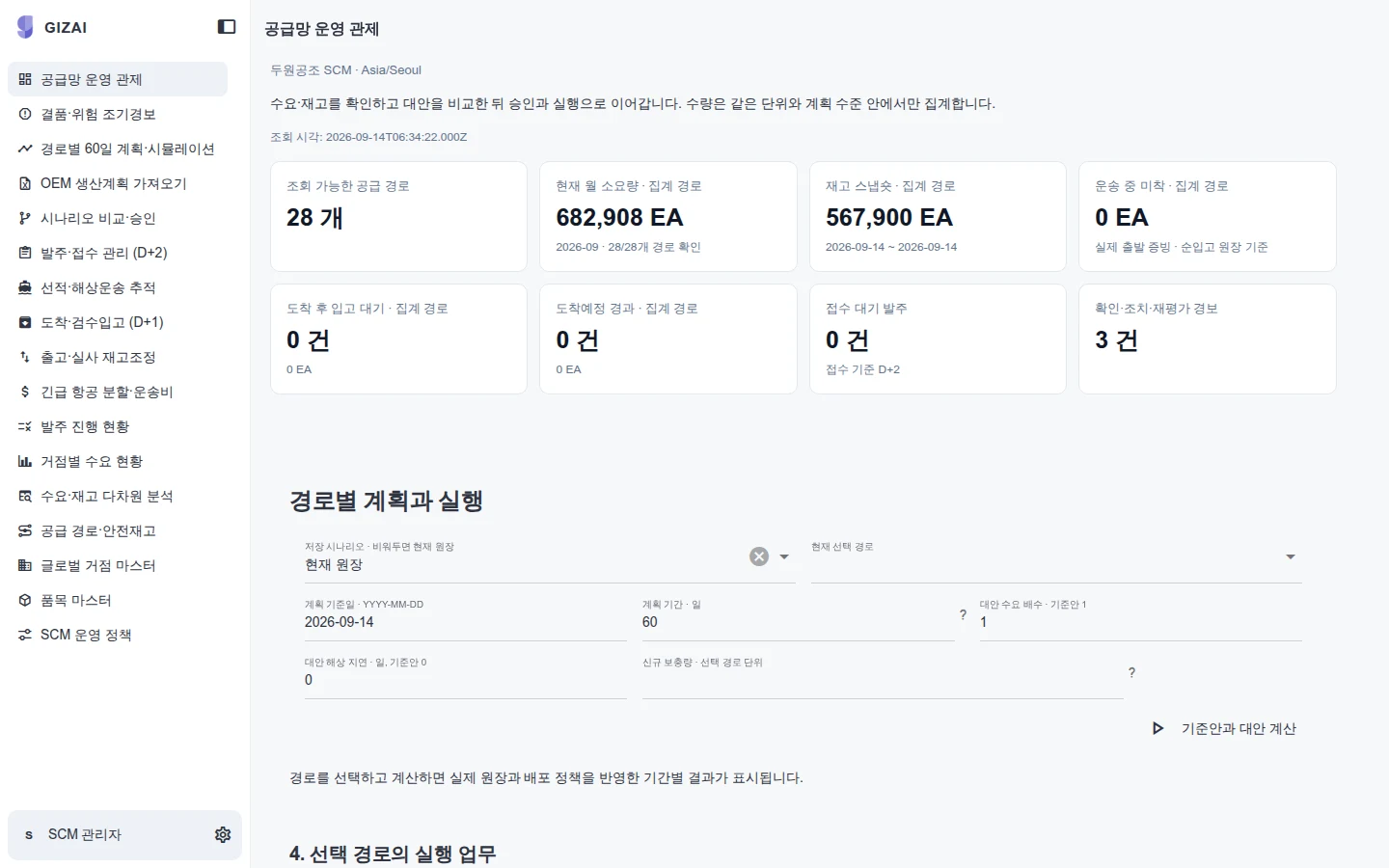
Architecture illustration
Shortages happen when nobody has worked out the date
Demand lives in a sales spreadsheet, purchase orders in the ERP and shipment dates in forwarder emails. Every week a buyer pulls them together and recalculates stock. When one shipment slips, the whole calculation starts again. Meanwhile the last day to order by sea passes, and air freight is the only option left.
Giz does not replace your ERP. It takes the records you already have, connects demand through to inventory, and recalculates the shortage date every day.
How the work flows
- Load demand: Upload the demand spreadsheet. Item and site codes are mapped and validated, and you confirm a preview before anything is saved. Bad codes and units are caught first.
- Orders and shipments: Purchase orders, shipments and expected arrivals are linked by item.
- Delay alerts: A late shipment raises an alert in the owner's inbox and opens a case with an owner and due date.
- Receipts and inventory: Receipts are posted to an append-only inventory ledger. Negative stock and duplicate receipts are rejected.
- 60-day projection: Available stock, expected receipts and consumption give a 60-day projection per item and site, with the stockout date, safety-stock breach date and sea-order cutoff.
- Air or sea split: When sea freight alone is too late, compare all-air against an air and sea split, with quantities and freight cost side by side. A person decides, and the decision is recorded on the case.
What you bring and what you get
| You bring | You get |
|---|---|
| Demand spreadsheet (item, site, quantity, period) | Validated demand and a code mapping table |
| Open purchase orders and shipment dates | One view from PO to shipment to receipt |
| On-hand stock and safety-stock rules | 60-day projection, stockout and safety-stock breach dates per item and site |
| Sea and air lead times and freight rates | Sea-order cutoff and an air/sea split comparison |
| Owners and who should be alerted | Delay and shortage alerts, cases with owners |
Scope
Included: Everything above runs on today's screens and can be demonstrated. It is built around imported materials.
Not included: The projection uses available stock, expected receipts and consumption. It does not account for production or transport capacity. Multi-level BOMs, substitute materials and transfers between sites are scoped on your data during the build. Writing orders or receipts back to the ERP is agreed separately.
Check it on your own data in the first week
Two files are enough to start: the demand spreadsheet and the open purchase order list. Within a week we show this screen with your items and check the stockout dates against your planner's numbers.
YOUR NEXT STEP
Bring us the workflow that needs to work.
Start with the files and systems you use today, and the work you want to change.