
GIZ SYSTEMS / ENTERPRISE PLATFORM
Connect your business. Put it to work.
Align production plans, find the source behind an answer, and put recurring work into action. Giz Systems connects data, documents, applications and AI in one enterprise platform.
Enterprise platform · Implementation · Ongoing operations
Giz SCM supply-planning overview
Enlarge view ↗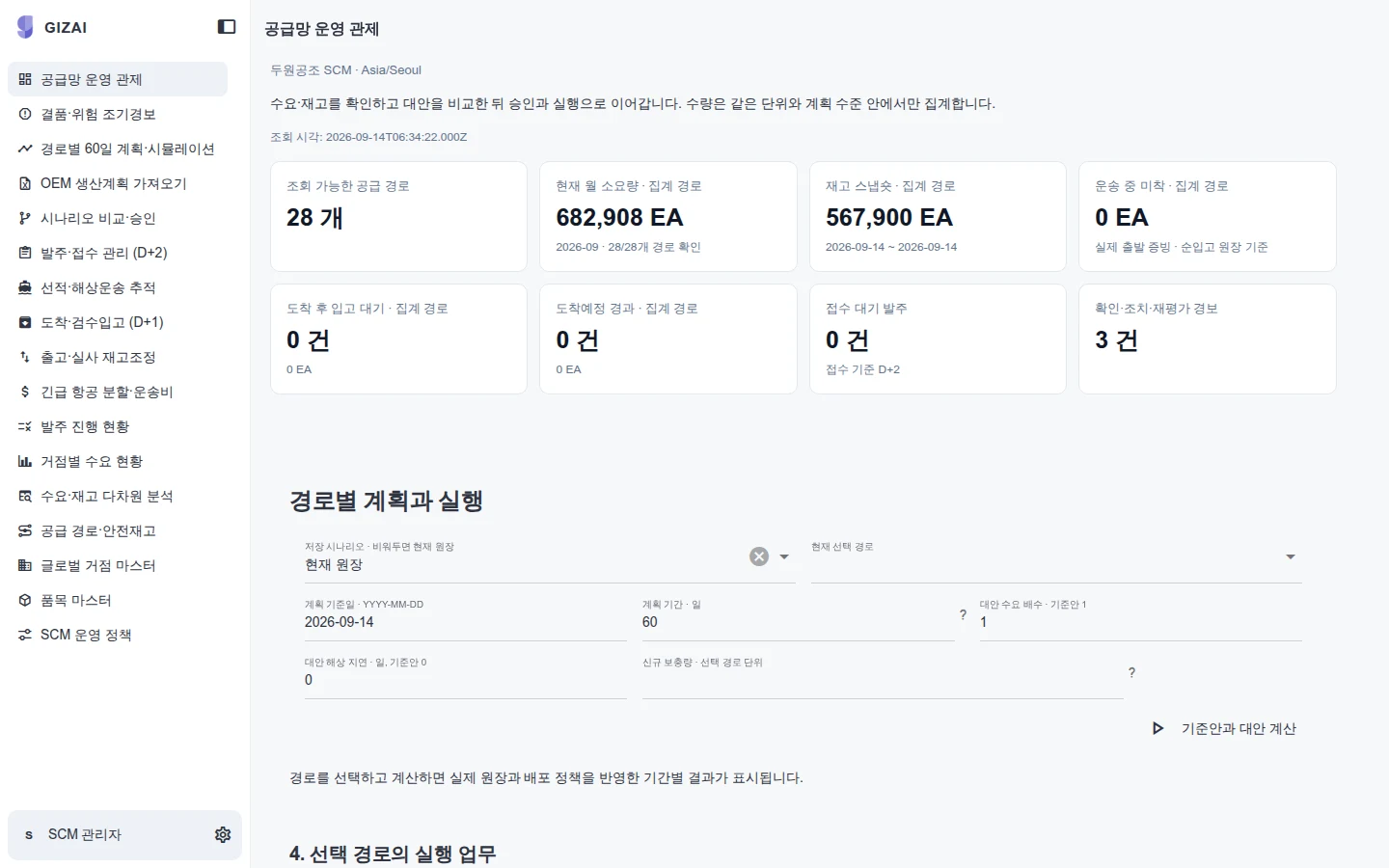
Giz SCM supply-planning overview
Summary planning metrics and underlying work items shown in the supply-planning workspace. 2026-09-14 · Sample data.
Explore this capability →Data into work
From source records to the next responsible action
People with AI
A shared working context for people and agents
Build and operate
Implementation around your systems and responsibilities
START WITH THE WORK
Where does work get stuck?
Choose a workflow to explore the approach and inspect real product screens.
ILLUSTRATIVE WORKFLOW
The delivery date changed. What needs to change with it?
When orders, inventory and production plans live in separate files, understanding the impact becomes a task of its own. Bring relevant items and exceptions into one workspace, then prepare a plan for the responsible team to review.
Explore supply-chain planning →Manufacturing & supply chain
Enlarge view ↗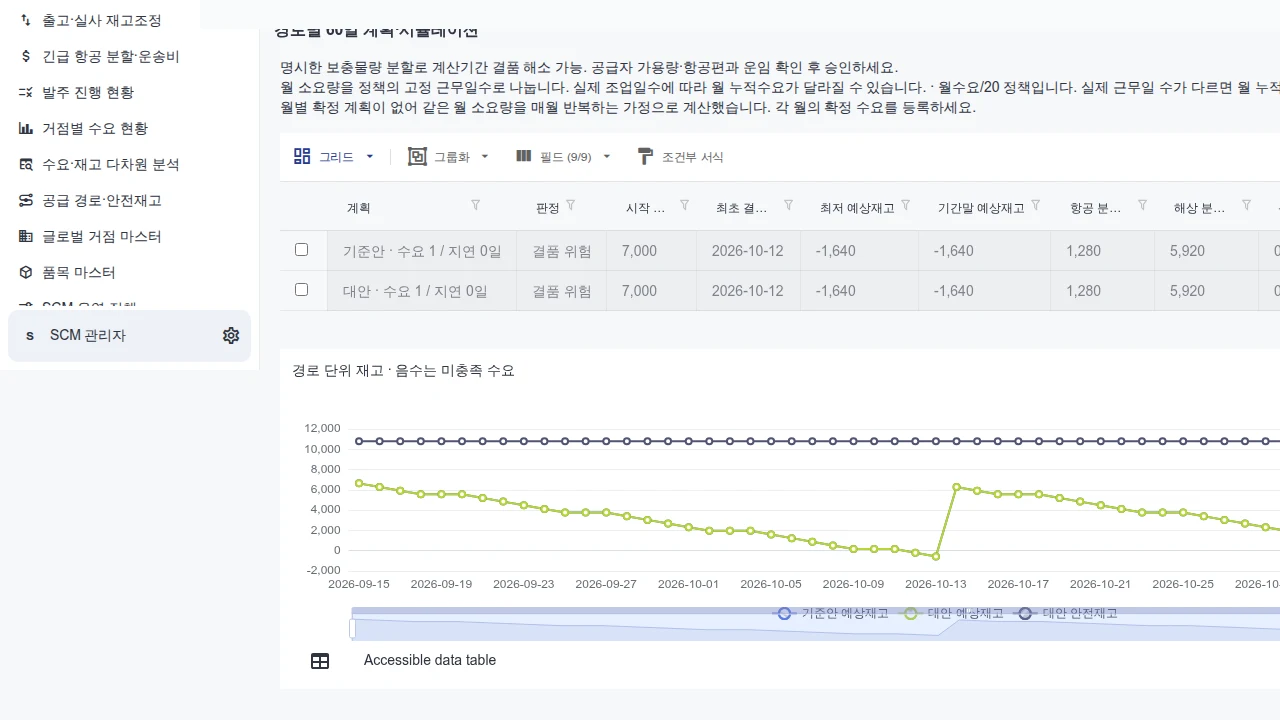
When orders, inventory and production plans live in separate files, understanding the impact becomes a task of its own. Bring relevant items and exceptions into one workspace, then prepare a plan for the responsible team to review.
01
Establish the picture
Align item, inventory, demand and lead-time definitions with their refresh dates.
02
Compare alternatives
Change demand and lead-time assumptions to inspect shortages and replenishment.
03
Decide the plan
Assign an owner, define the change and configure how it reaches the source system.
ILLUSTRATIVE WORKFLOW
An answer you can find. A source you can check.
Before using a document, teams need to know which version to trust and who may see it. Connect document access, sharing and source review in the same working context.
Explore intelligent drive →Documents & Knowledge Drive
Enlarge view ↗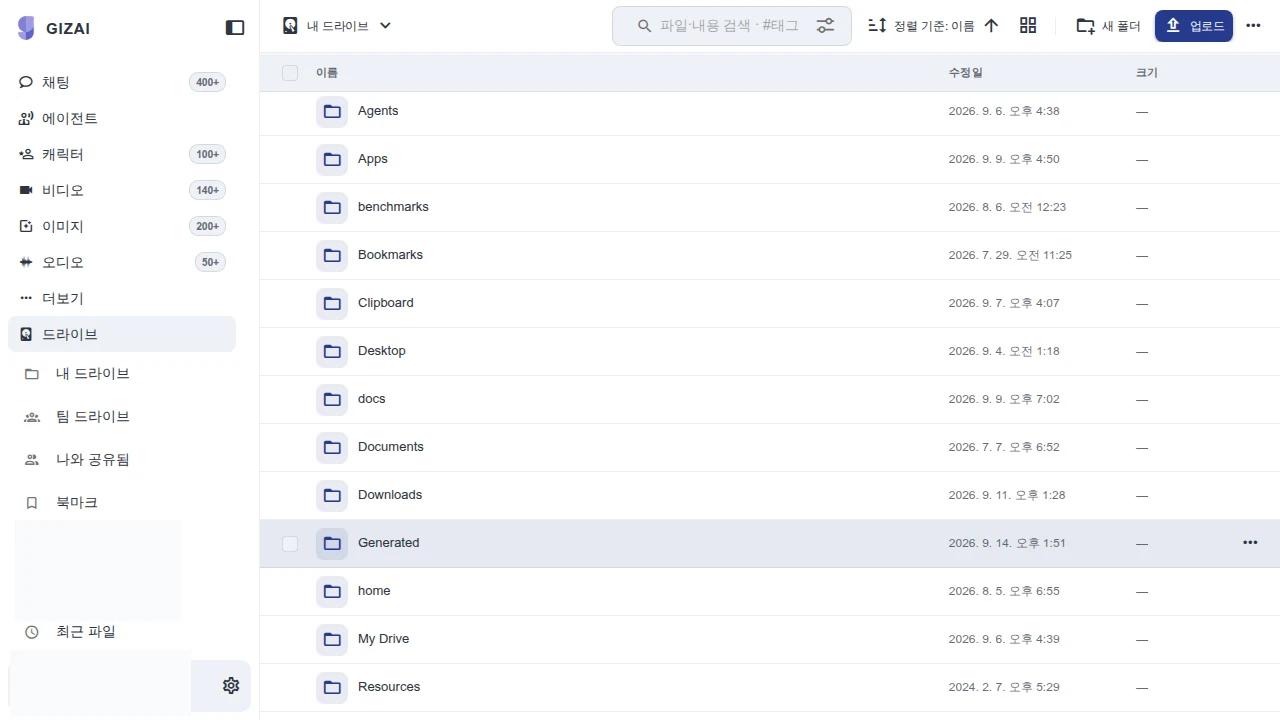
Before using a document, teams need to know which version to trust and who may see it. Connect document access, sharing and source review in the same working context.
01
Find the source
Locate the folders, documents and reference material relevant to the task.
02
Review the evidence
Check the version, access scope and sources behind an answer.
03
Share the result
Put the reviewed work into a document and share it with the appropriate team.
ILLUSTRATIVE WORKFLOW
Your spreadsheet knows the process. Give your team an application.
Moving a table is only the beginning. Define the input rules, owners and work states, then connect the screens people use with the actions available to AI.
Explore applications and AI →Giz Apps visual designer
Enlarge view ↗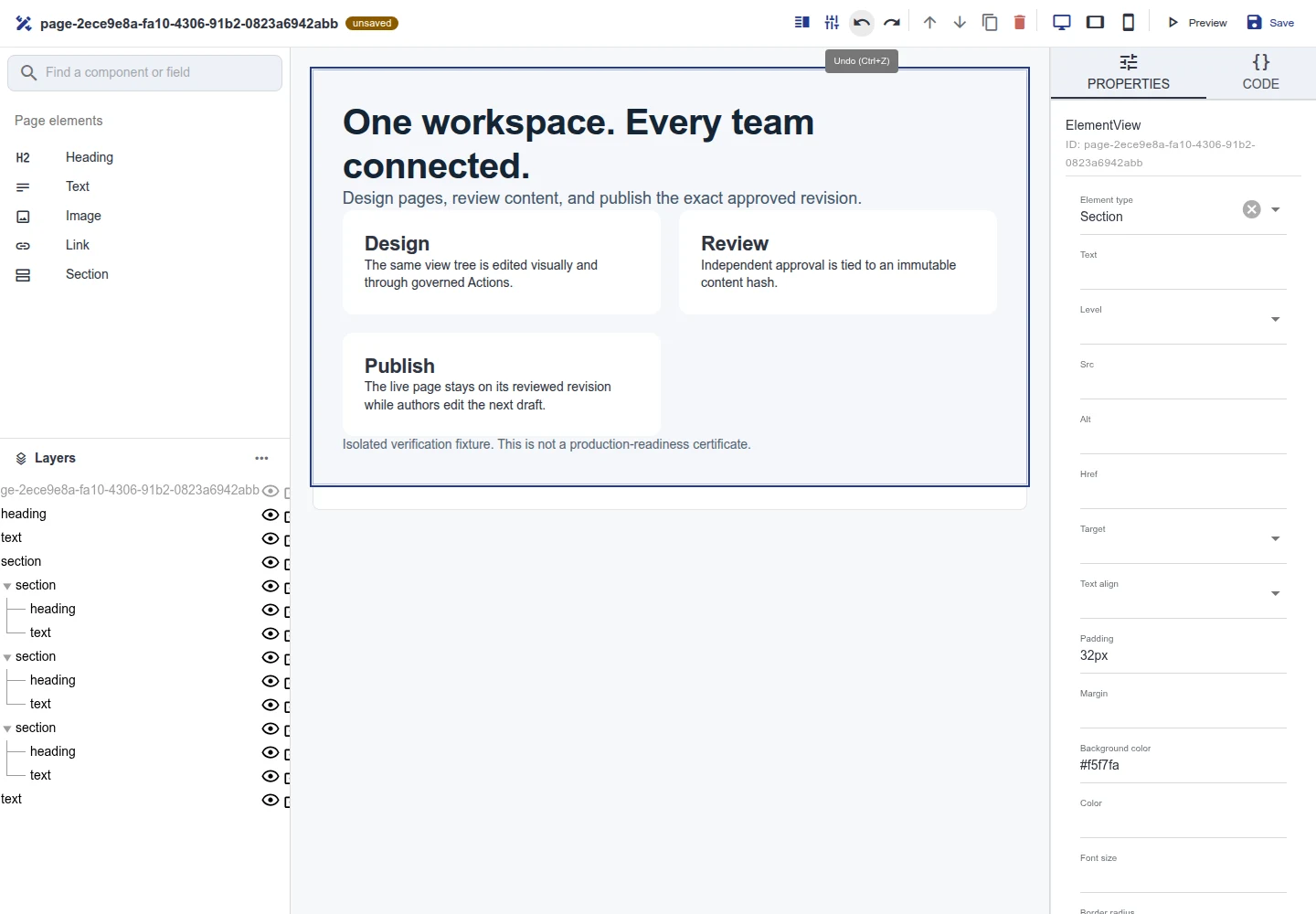
The component list, editing canvas and property panel shown together. 2026-09-12 · Sample data.
01
Define the work
Specify the records, relationships, input conditions and states that matter.
02
Compose the workspace
Combine forms, grids and charts into a screen people can use.
03
Connect execution
Bring permitted server actions into human and agent workflows.
Different work. One shared foundation.
Connect the meaning of your data with applications, AI execution and documents. Carry the foundation of your first workflow into the next.
PLATFORM / ONTOLOGY
Data and business models
Define relationships and rules for orders, items and customers. Give views and actions a shared understanding of the business.
ExploreAPPS / ANALYTICS
Applications and workflows
Connect input, review and processing. Implement how your team works through forms, grids, charts and server actions.
ExploreAGENTS / MODELS / COMPUTER
AI and execution
Find relevant material and work with permitted tools. Connect models and Computer around access, operating and cost requirements.
ExploreDRIVE / KNOWLEDGE / CONTENT
Documents and content
Connect files, organizational knowledge, digital assets and published content. Manage originals, sharing scope and approved versions.
ExplorePRODUCT IN USE
Inspect the product in use.
Check the capture date and sample-data label, then select an image to inspect it. Operating performance, security requirements and customer outcomes are separate acceptance checks.
Giz CMS published page
Enlarge view ↗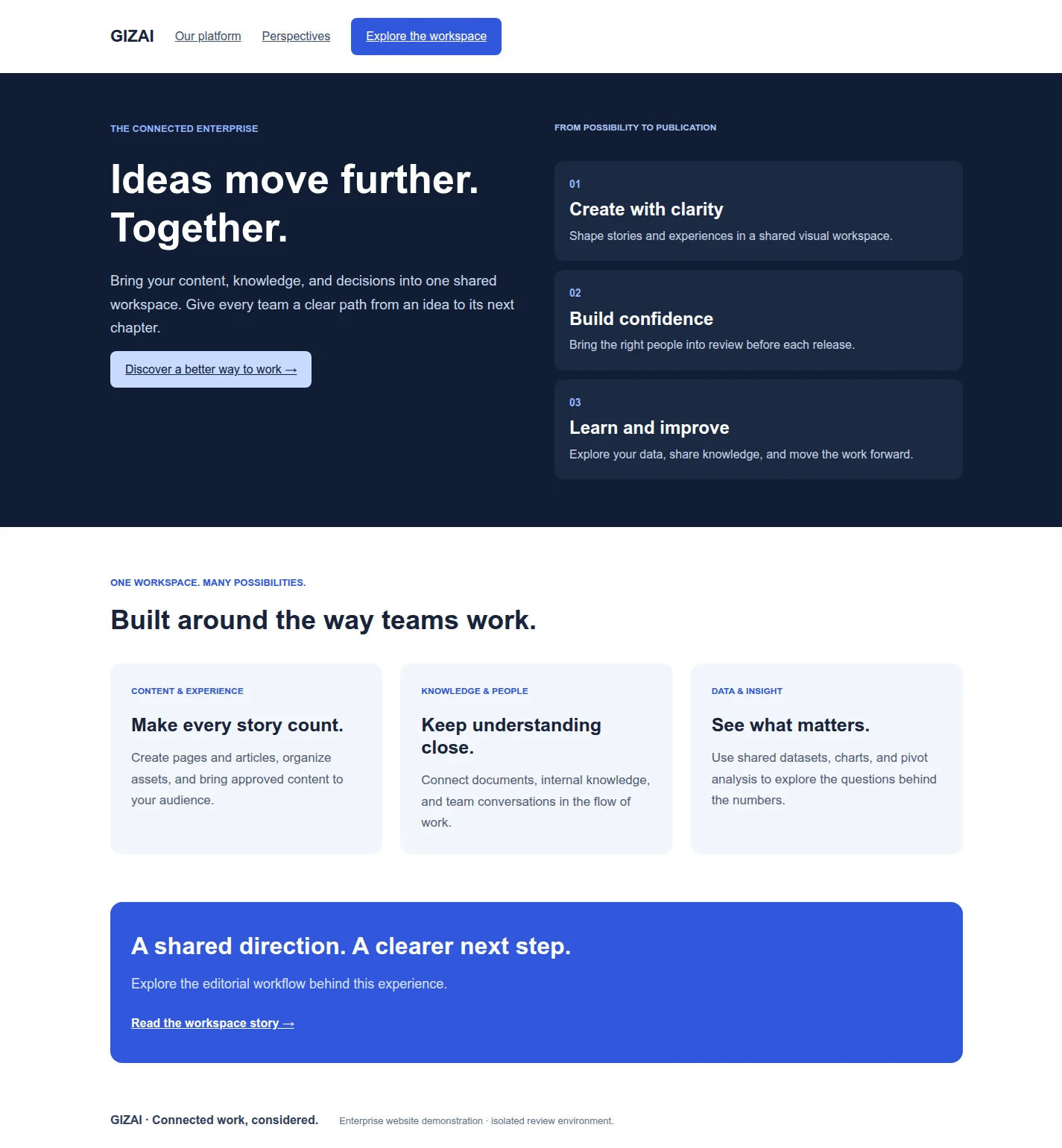
Giz CMS published page
A published example page with a headline, body and cards. Authoring and approval history are inspected separately in the workspace. 2026-09-12 · Sample data.
Explore this capability →Giz Drive document viewer
Enlarge view ↗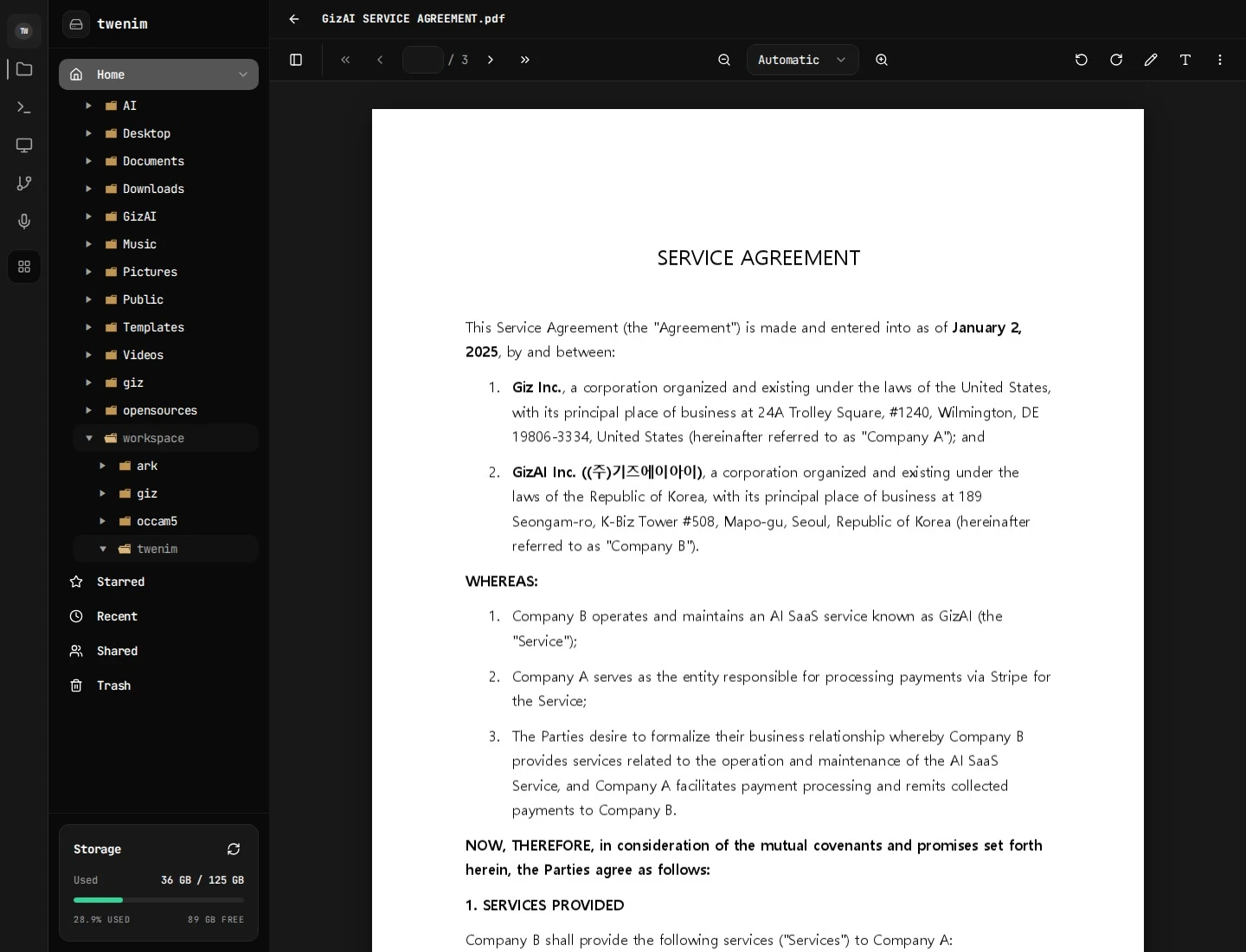
Giz Drive document viewer
A document opened from the folder list for reading in the browser. 2026-09-14 · Sample data.
Explore this capability →Giz DAM assets and rights
Enlarge view ↗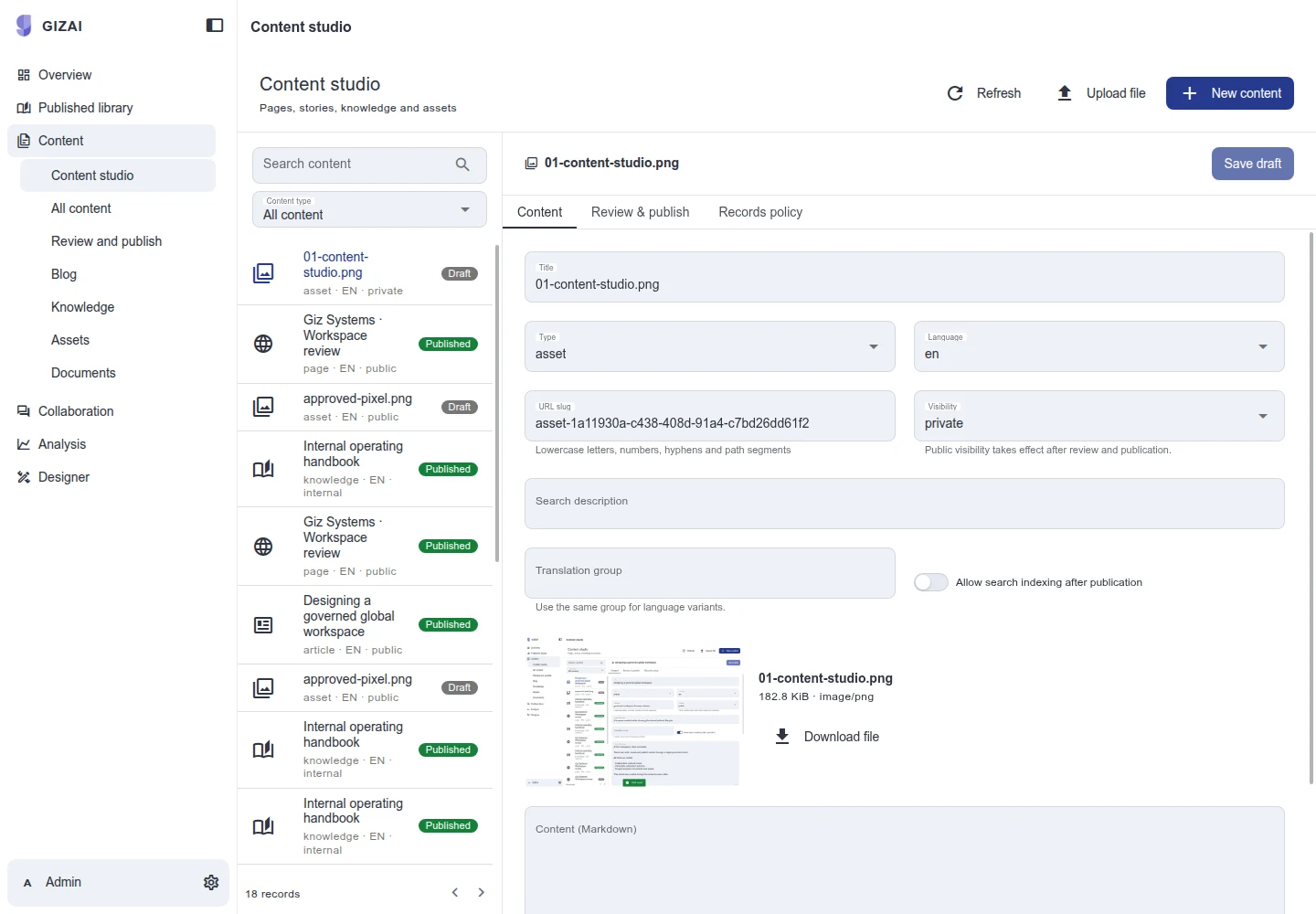
Giz DAM assets and rights
The asset list alongside the selected asset's metadata and rights settings. 2026-09-12 · Sample data.
Explore this capability →Giz Agent consultation example
Enlarge view ↗
Giz Agent consultation example
An example of entering a business goal and reviewing a consultation response on the website. 2026-09-13 · Sample data.
Explore this capability →Giz SCM supply-planning overview
Enlarge view ↗Giz SCM supply-planning overview
Summary planning metrics and underlying work items shown in the supply-planning workspace. 2026-09-14 · Sample data.
Explore this capability →Giz Analytics quantity analysis
Enlarge view ↗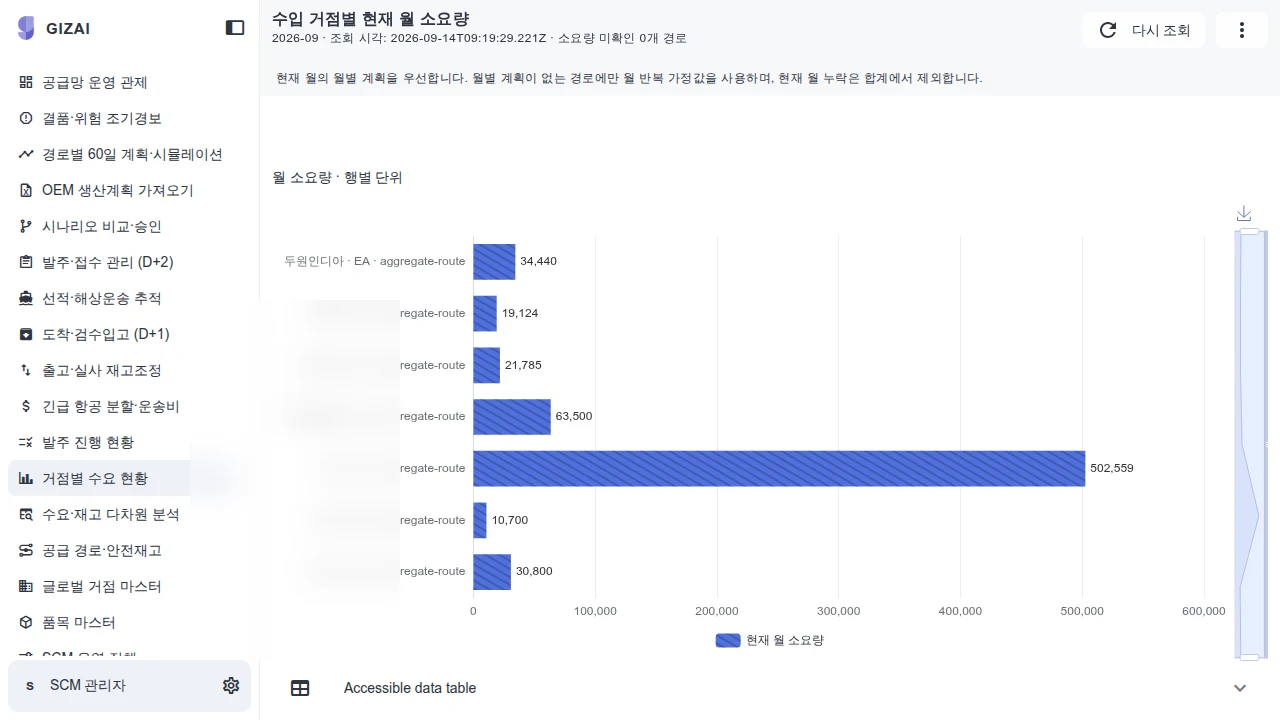
Giz Analytics quantity analysis
A bar chart comparing quantities in production-planning data, to be reconciled with aggregation rules and source records. 2026-09-14 · Product screen.
Explore this capability →HOW WE DELIVER
From the first workflow to what comes next.
01 / Discover the work
Review a representative workflow, source material and current bottleneck. Produce a brief with success criteria and data owners.
02 / Prove the workflow
Implement the agreed flow with representative data. Compare results and review the work with users before defining rollout scope.
03 / Put it into operation
Configure access, integrations and the operating environment. Prepare acceptance results, user guidance and the operational handover.
04 / Operate and improve
Agree incident, change and release responsibilities. Use observed results to choose the next workflow to extend.
Built for the work that comes after launch
Operations change. New items arrive, approval owners move, and teams adopt new documents and AI models. Giz Systems connects platform configuration, implementation and ongoing operations so those changes have a defined place to go.
ERP and MES integration starts with the interfaces your systems provide. Dedicated and on-premises environments are scoped around data location, model access and operating requirements. Support hours, incident response and the division of responsibilities are agreed as part of the engagement.
PERSPECTIVES FOR IMPLEMENTATION
Better questions. Better systems.
01
Before a spreadsheet becomes an application
Find the business definitions and exceptions behind the formulas.
Explore02
What AI can do. What people decide.
Define boundaries between reading, proposing, approving and executing.
Explore03
Start with where the data lives
Review dedicated environments, on-premises deployment and external model connections.
ExploreYOUR NEXT STEP
Bring us the workflow that needs to work.
Start with the files and systems you use today, and the work you want to change.