
QUALITY HOLD / 8D CLOSURE
Keep every held lot moving until someone closes it.
Take inspection holds from your existing MES or QMS and carry each one through disposition, root cause, corrective action and closure with a named owner and due date.
Giz manufacturing planning: demand and inventory
Enlarge view ↗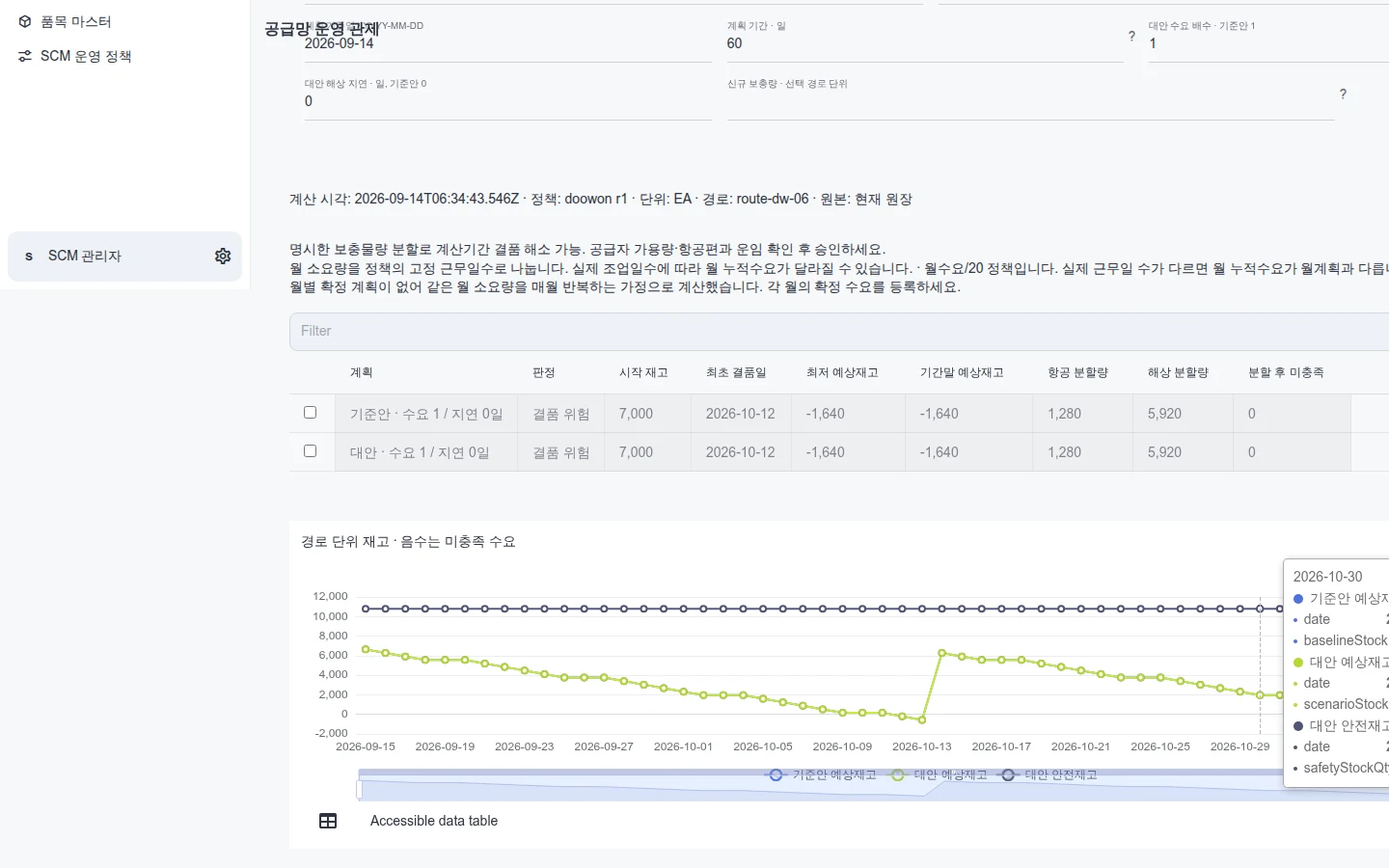
Giz manufacturing planning: demand and inventory
A planning view of demand, incoming supply and projected inventory over time. It does not demonstrate the full WIP or equipment-effectiveness workflow. 2026-09-14 · Sample data.
Explore this capability →PRODUCT IN USE
Inspect the product in use.
Check the capture date and sample-data label, then select an image to inspect it. Operating performance, security requirements and customer outcomes are separate acceptance checks.
Giz SCM supply-planning overview
Enlarge view ↗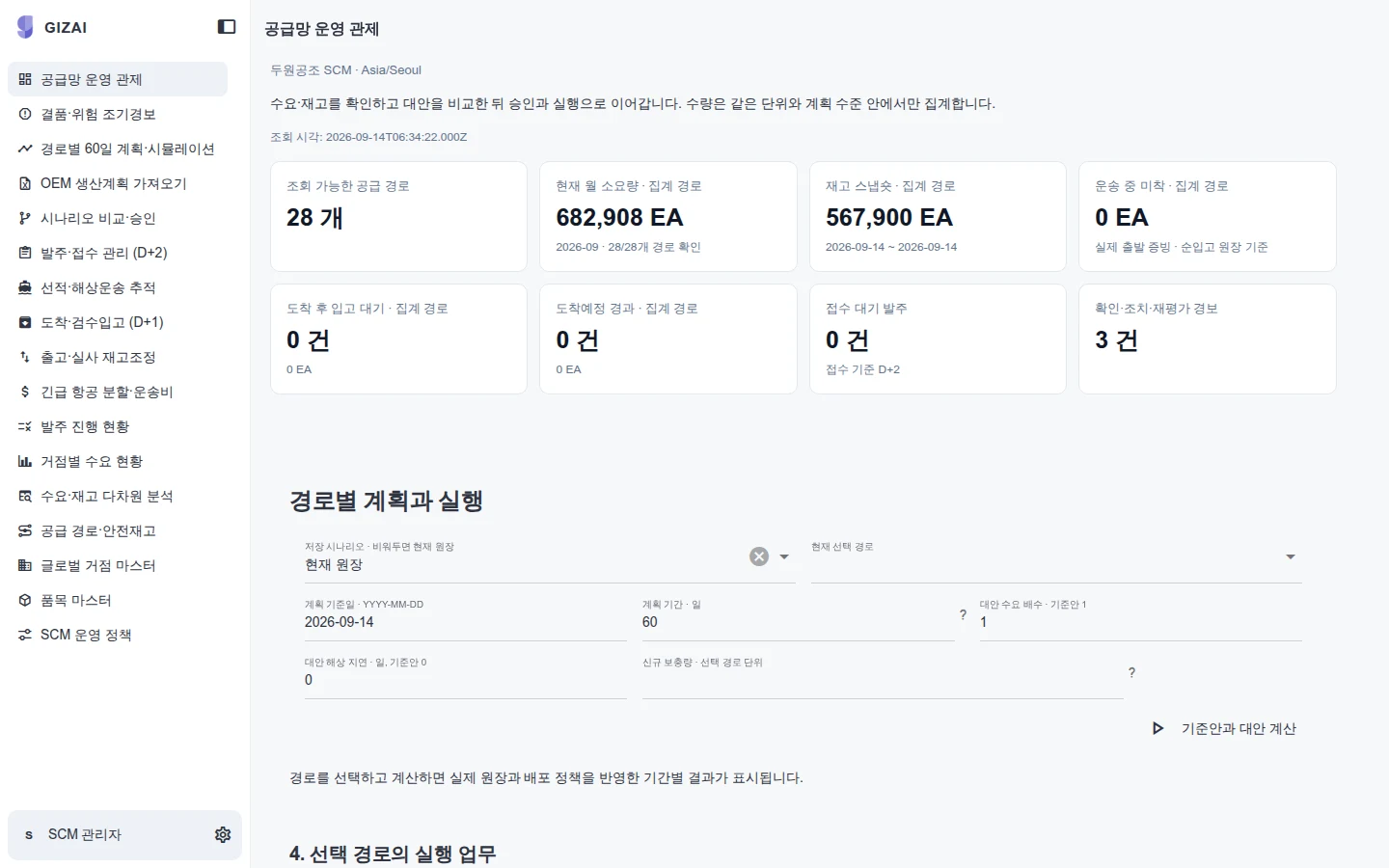
Giz SCM supply-planning overview
Summary planning metrics and underlying work items shown in the supply-planning workspace. 2026-09-14 · Sample data.
Explore this capability →Giz manufacturing planning: demand and inventory
Enlarge view ↗Giz manufacturing planning: demand and inventory
A planning view of demand, incoming supply and projected inventory over time. It does not demonstrate the full WIP or equipment-effectiveness workflow. 2026-09-14 · Sample data.
Explore this capability →Giz Apps planning grid and chart
Enlarge view ↗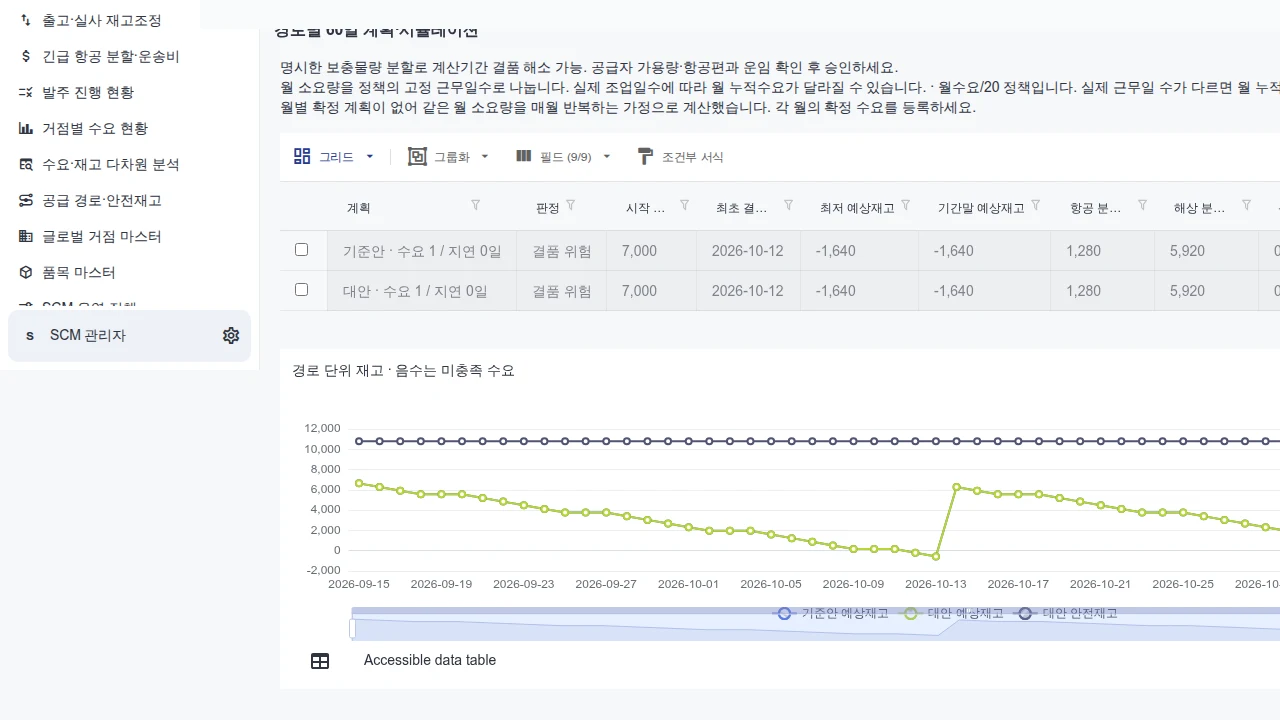
Giz Apps planning grid and chart
A business app showing a period-based planning grid and projected-inventory chart. Visible rows do not establish a performance benchmark. 2026-09-14 · Product screen.
Explore this capability →Giz Apps production-plan import
Enlarge view ↗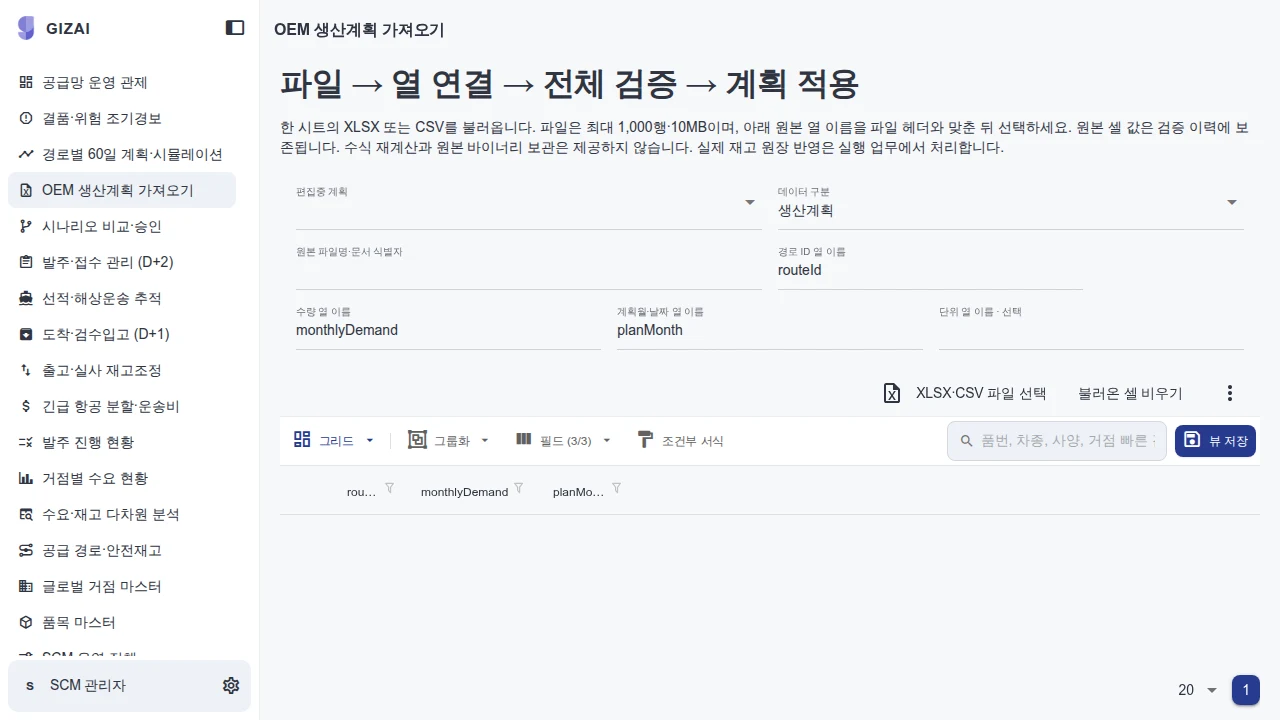
Giz Apps production-plan import
An import screen with file upload, column mapping, validation and application steps. 2026-09-14 · Product screen.
Explore this capability →The hold is in the MES. The follow-up is in spreadsheets and email
Inspection holds are recorded in the MES or QMS. What happens next is scattered. Root-cause notes sit in a quality spreadsheet, supplier replies in email and rework instructions in a shift handover. It is hard to see in one place whether the held quantity may proceed, who decides, and whether the action is finished.
Giz does not replace your MES or QMS. Inspection and hold records stay in those systems. Giz manages what follows the hold as one workflow: disposition, cause, action and closure.
Example: part of a completed lot is placed on hold
- Open the case: Create a case from the existing hold record (lot, quantity, reason) and assign an owner and due date.
- Decide the disposition: The quality owner chooses reinspection, concession, rework or scrap. Roles limit who may decide.
- Cause and action (8D): Record the team, problem statement, containment, root cause, permanent corrective action, verification and prevention. Each step has an owner, due date and evidence.
- Close: After verification the owner closes the case. The disposition and quantities are reconciled with the source records.
People write and approve each 8D step. The system does not close cases on its own.
What you bring and what you get
| Bring from the plant | Delivered workflow |
|---|---|
| Hold and nonconformance logs, inspection criteria | Hold cases, disposition permissions, due dates |
| Your 8D template and a few past cases | Step fields, owners and approvals |
| How the MES or QMS exports hold records | Source connection and reconciliation |
| How suppliers respond today | Supplier requests with due dates |
Scope
The workflow is configured to your quality procedure during implementation. The screen on this page is a planning view of demand, receipts and projected inventory, not the quality-hold workflow. Equipment integration and writing back to the MES are scoped after reviewing the interfaces and test environment at the plant.
Acceptance
A quality engineer and the quality owner take one real hold from intake to closure. Quantities, units and timestamps are reconciled with the source records, and unauthorized decisions and duplicate entries are shown to be blocked.
Supply-chain planning · Manufacturing AX over your ERP and MES
YOUR NEXT STEP
Bring us the workflow that needs to work.
Start with the files and systems you use today, and the work you want to change.